Business api gateway
API Gateway
Setup API Gateway
Prerequisites
This section assumes the following resources are configured: * Vault * Relevant backend services (e.g., FastAPI for recipes, see recipe READMEs)
Create Gateway
-
On the Gateways list page, select Create Gateway.
-
Specify the following values for the new API gateway:
-
Name: The name of the API gateway. (for example, inception-dev-apigw)
-
Type: The type of API gateway to create. Public
-
Compartment: The compartment in which to create the API gateway.
-
Virtual cloud network in \<compartment-name>: The VCN in which to create the API gateway. (for example, inception-vcn)
-
Subnet in \<compartment-name>: The public or private regional subnet in which to create the API gateway. (for example, public-subnet-inception-vcn). Allow traffic on port 443.
-
Note: For private API gateways, additional configuration (e.g., for recipe UIs) may be required. See recipe-specific docs.
-
Enable Network Security Groups: Disabled
-
Certificate: Default (*.oci.customer-oci.com)
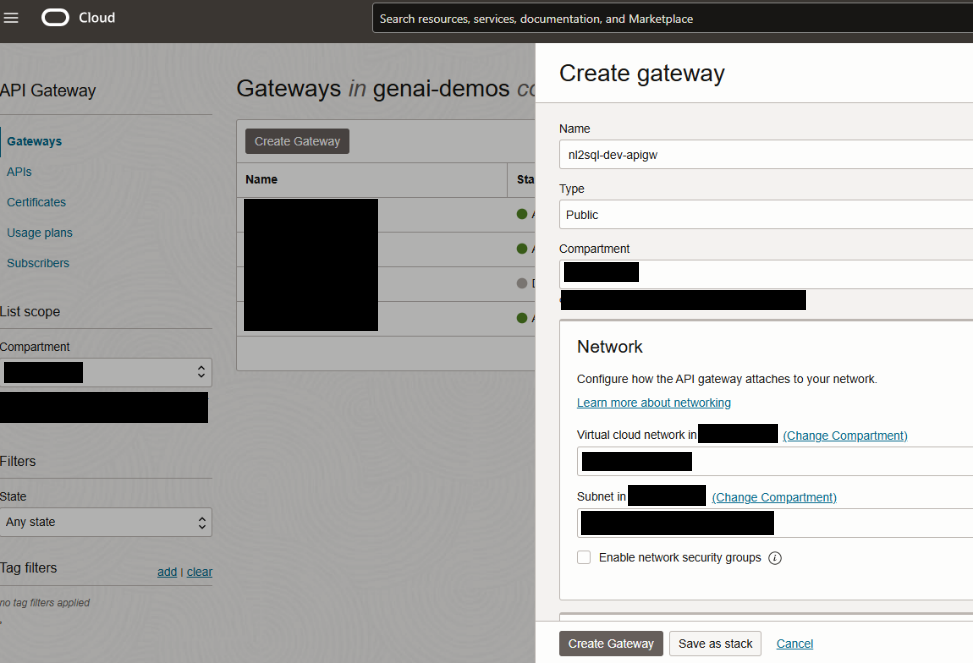
- Select Create Gateway to create the API gateway immediately.
Create Deployment
Create API Deployment
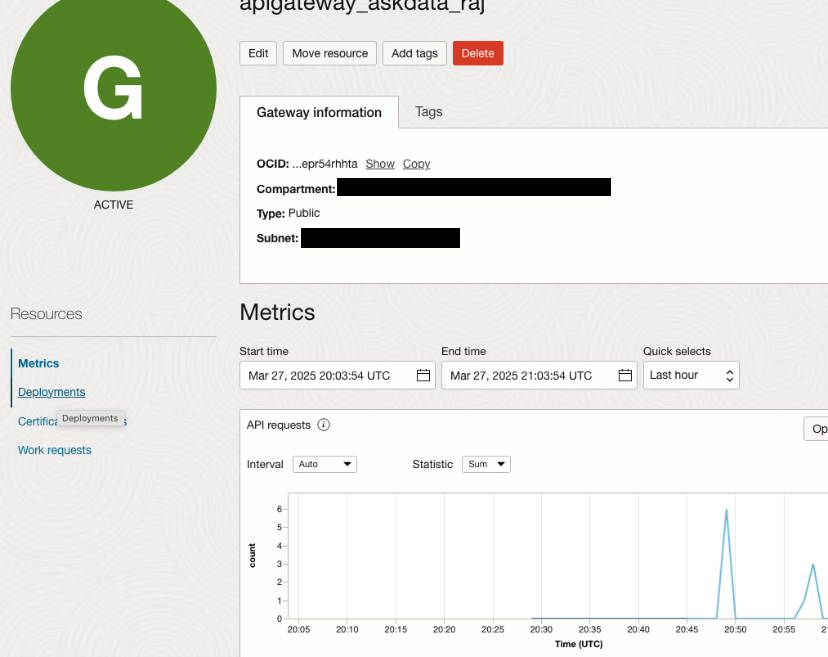
- On the Gateways list page, select the API gateway on which you want to deploy the API. (for example, inception-dev-apigw)
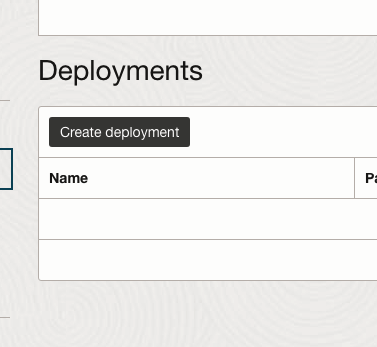
- On the Gateway Details page, select Deployments from the Resources list, and then select Create Deployment.
-
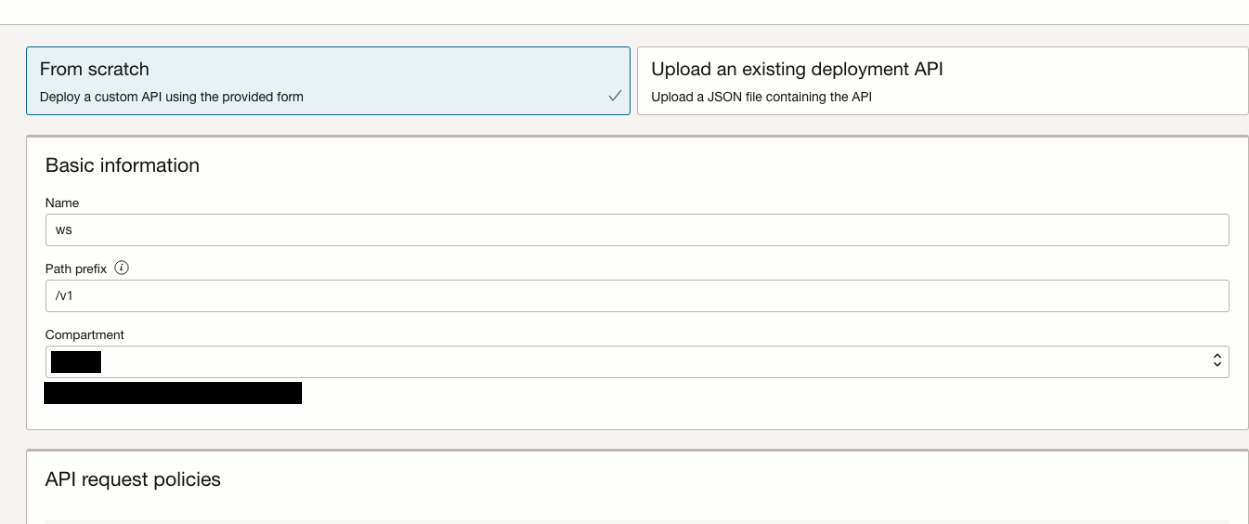
Select From Scratch and in the Basic Information section, specify:
-
Name: The name of the new API deployment. Avoid entering confidential information. (for example, recipes)
-
Path Prefix: A path on which to deploy all routes contained in the API deployment specification. For example: /v1
-
Compartment: The compartment in which to create the new API deployment.
-
-
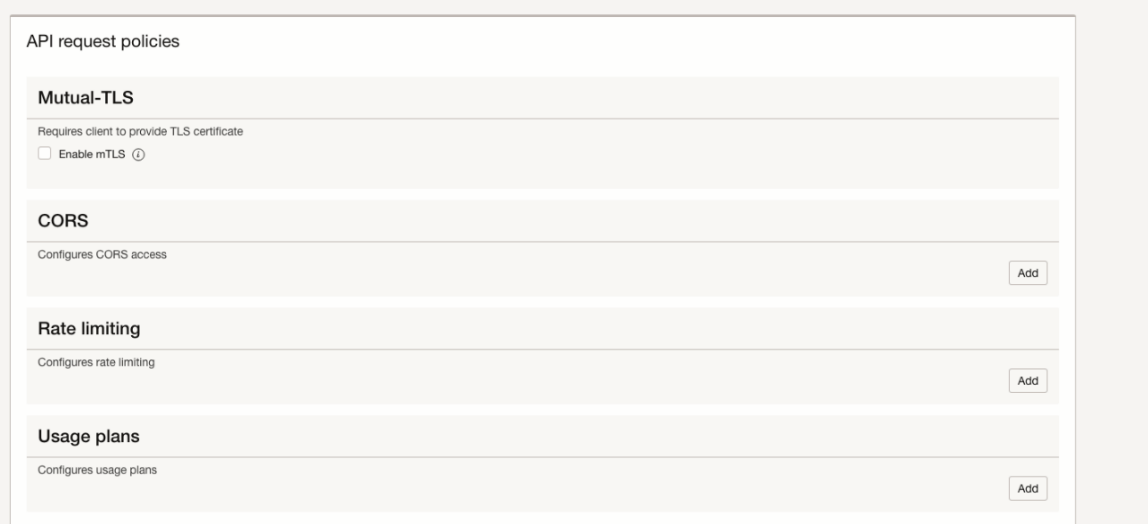
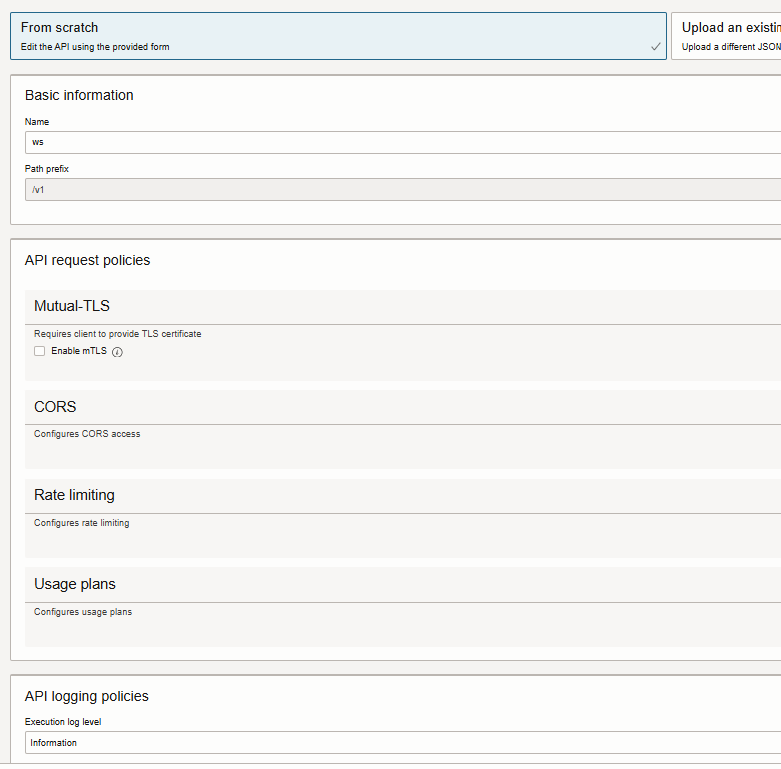
(Optional) In the API Request Policies section, optionally specify request policy details to provide support for:
- Mutual-TLS: Select Enable mTLS and enter details for an mTLS request policy. Default - unchecked
- Authentication: Select Add and enter details for an authentication request policy. Default - none
- CORS: Select Add and enter details for a CORS request policy. Default - none
- Rate Limiting: Select Add and enter details for a rate limiting request policy. Default – none
-
(Optional) In the API Logging Policies section, optionally specify an execution log level to record information about processing within the API gateway. (for example, Information)
-
(Optional) Select Show Advanced Options and optionally specify:
- Tags: Default - none
-
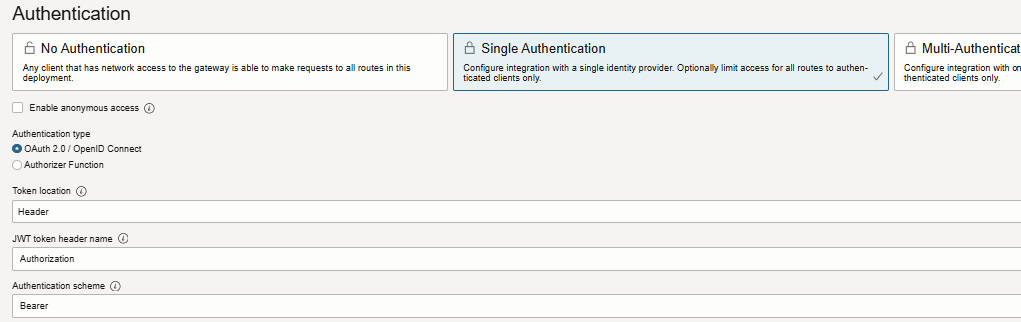
Select Next to display the Authentication page and enter details for an authentication request policy:
- Single Authentication: Select to route all authentication requests to a single authentication server.
- Enable anonymous access: disabled
- Authentication type: OAuth 2.0/OpenID Connect
- Token location: Header
- JWT token header name: Authorization
- Authentication schema: Bearer
-
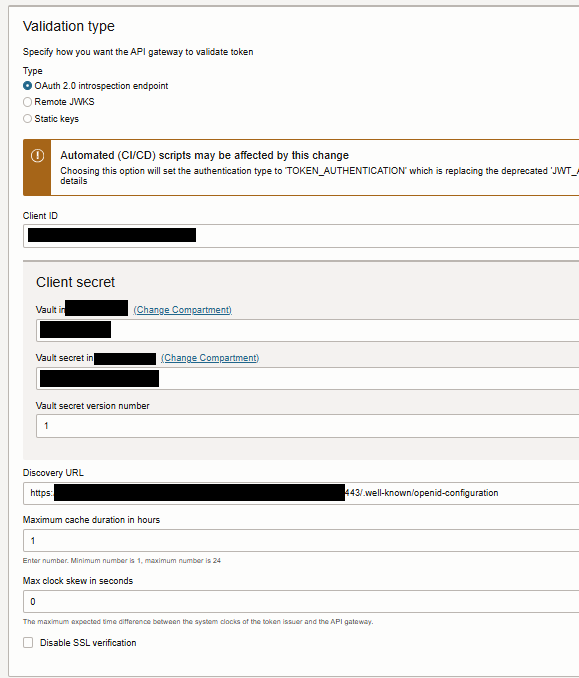
Validation type: OAuth 2.0 introspection endpoint
-
Provide Client ID of the confidential app that created, Secret stored in vault and the Discovery URL from the IDCS application.
-
Client ID: Client ID value specified in the confidential application
-
Client secret
- Vault in \<compartment>:
- Vault secret in \<compartment>:
-
Vault secret version number: 1
-
Discovery URL: (for example, https://your-idcs-server.oraclecloud.com:443/.well-known/openid-configuration)
Format:
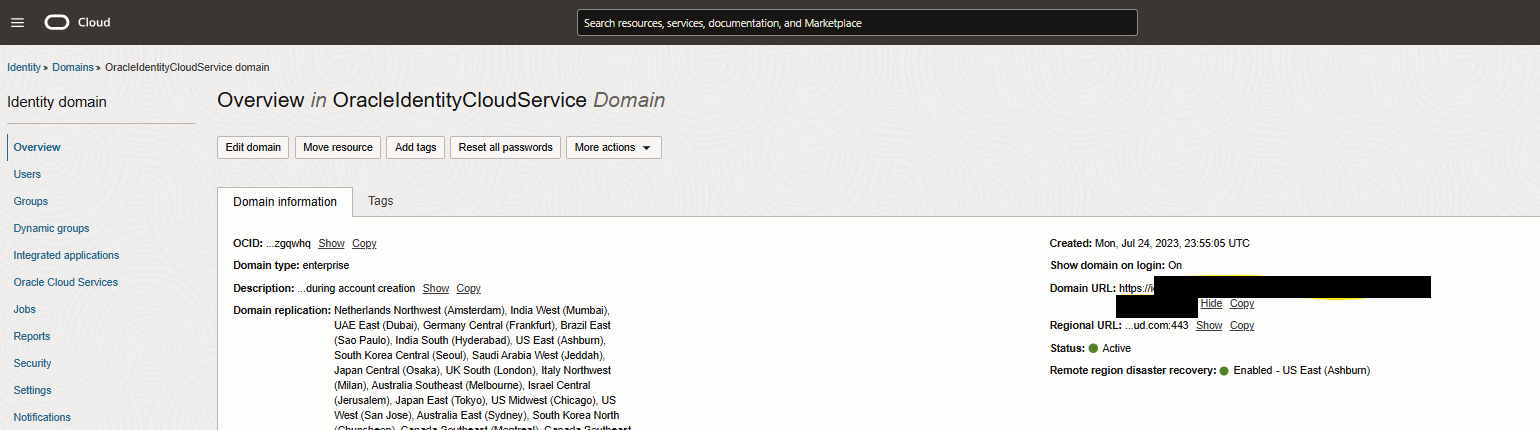
IDCS baseurl can be found at this location.
- Maximum cache duration in hours: 1
- Max clock skew in seconds: 0
- Disable SSL verification: Disabled
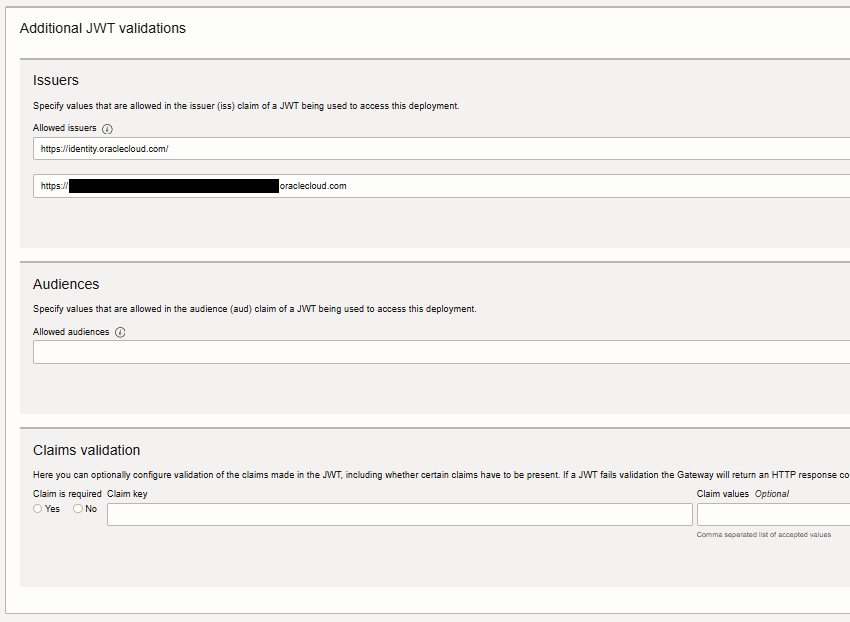
- Issuers
- Allowed issuers:
(for example:
https://identity.oraclecloud.com/
https://your-idcs-server.identity.oraclecloud.com
Add each item on a separate line)
-
Audiences: \<leave it blank>
-
Claims validation: \<leave it blank>
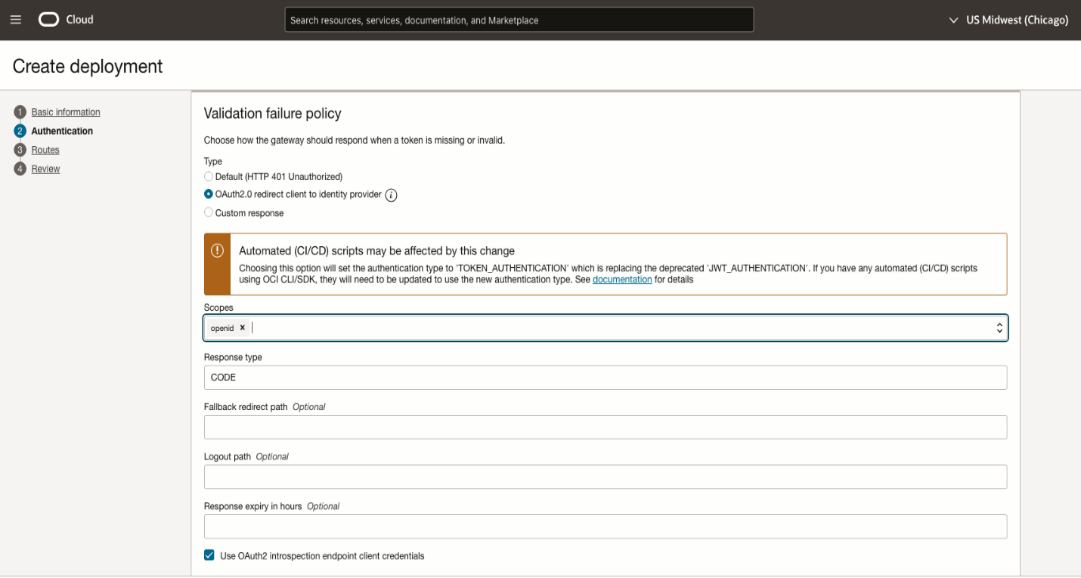
- Validation failure policy
- Type: OAuth2.0 redirect client to identity provider
- Scopes: openid
- Response type: CODE
- Use Oauth2 introspection endpoint client credentials: enabled
-
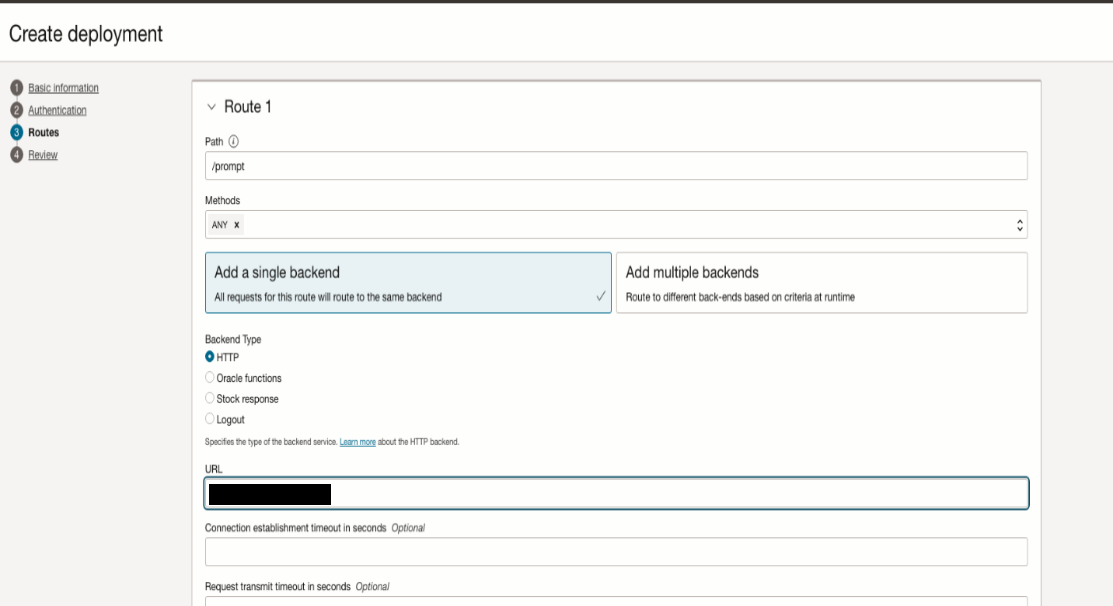
Select Next to enter details of the routes in the API deployment.
-
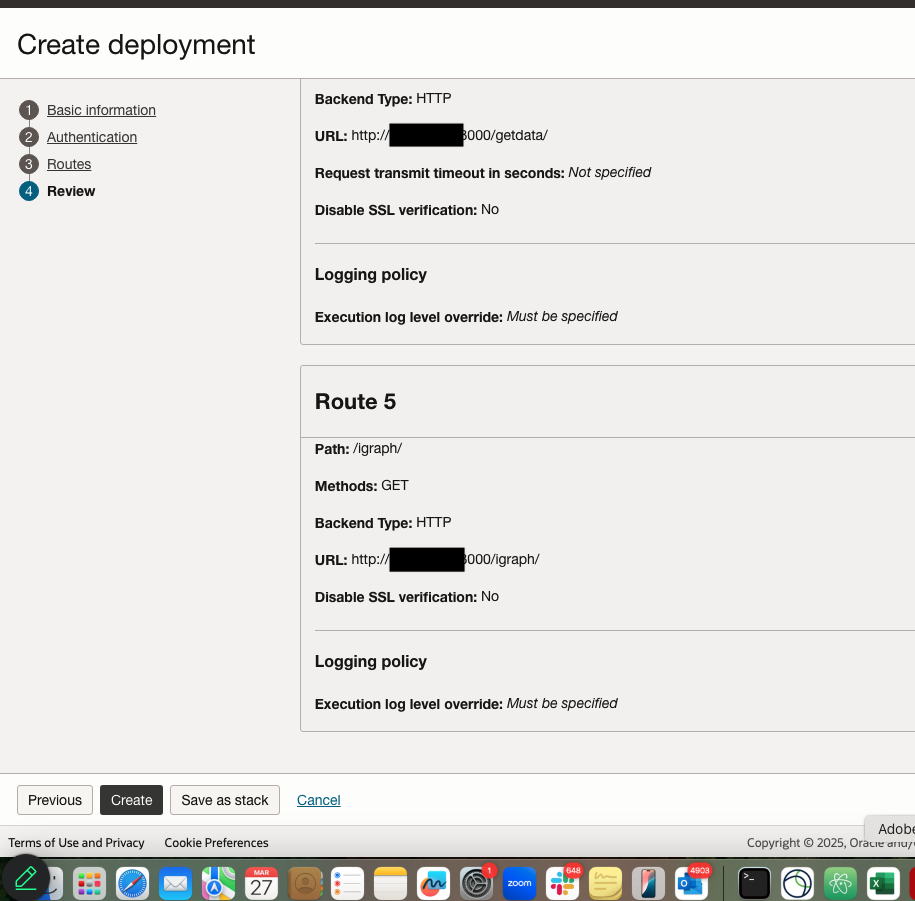
In the Route 1 section, specify the first route in the API deployment that maps a path and one or more methods to a back-end service:
- Path: /api (example for recipe endpoints)
- Methods: ANY
- Add a single backend
- Backend Type: HTTP
- URL: (for example, http://backend-ip:port e.g., for FastAPI agent service)
- Connection established timeout in seconds: 60
- **Request transmit timeout in seconds: 300
- **Reading response timeout in seconds: 300
Note - Expose your recipe's backend (e.g., FastAPI) via API Gateway. Adapt paths/routes to match your recipe (e.g., /api/dispatch for Smart Dispatch).
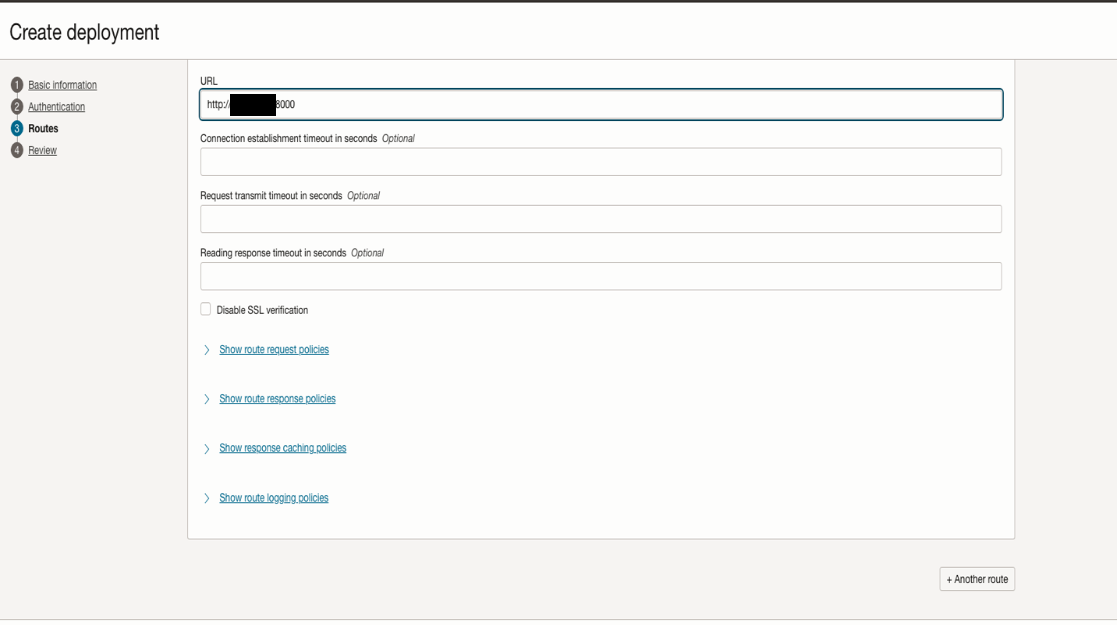
- (Optional) Select Another Route to enter details of additional routes (e.g., for MCP servers or other endpoints).