Validation
Get OAuth Token from IDCS
OAuth Token Validation from IDCS
| cURL Command |
|---|
curl -X POST "https://<idcs url>/oauth2/v1/token" -H "Content-Type: application/x-www-form-urlencoded" -d "client_id=<client_id>" -d "client_secret=<client_secret>" -d "grant_type=client_credentials" -d "scope=urn:opc:idm:__myscopes__" |
| Example: |
curl -X POST "https://idcs-server.identity.oraclecloud.com/oauth2/v1/token" -H "Content-Type: application/x-www-form-urlencoded" -d "client_id=clientId" -d "client_secret=clientSecret" -d "grant_type=client_credentials" -d "scope=urn:opc:idm:__myscopes__" |
Example Response:
Agent Endpoint Validation
Note that the Bearer token is the same as above. Adapt to your recipe's endpoint (e.g., /api/dispatch for Smart Dispatch).
| cURL Command |
|---|
curl -X POST "https://<apigw url>/v1/api" -H "Content-Type: application/json" -H "Authorization: Bearer <token>" -d "{\"query\" : \"Dispatch technician for issue\", \"session_id\": \"9876543210161\", \"user_id\" : \"john.doe@example.com\"}" |
| Example: |
curl -X POST "https://apigw-host.apigateway.us-chicago-1.oci.customer-oci.com/v1/api" -H "Content-Type: application/json" -H "Authorization: Bearer xyz" -d "{\"query\" : \"Dispatch technician for issue\", \"session_id\": \"9876543210161\", \"user_id\" : \"john.doe@example.com\"}" |
Response:
Sample: {"response": "Technician dispatched."} (adapt to recipe output)
MCP Tool Validation (e.g., execute_sql)
Test MCP server tools directly or via gateway.
| cURL Command |
|---|
curl -X POST "https://<mcp_url>/tools/execute_sql" -H "Content-Type: application/json" -H "Authorization: Bearer <token>" -d "{\"query\" : \"SELECT * FROM invoices LIMIT 5\"}" |
| Example: |
| `curl -X POST "http://localhost:3001/tools/execute_sql" -H "Content-Type: application/json" -H "Authorization: Bearer xyz" -d "{\"query\" : \"SELECT * FROM invoices LIMIT 5\"}" |
Response: {"data": [rows]}
Management
Backend Server (e.g., FastAPI)
Start
Inception recipes use FastAPI backends (e.g., port 8788 for agents).
Start in the recipe directory:
Console logs to stdout; application logs to logs/fastapi.log.
Stop
Find PID: ps -ef | grep uvicorn
Kill: kill -9 <pid>
End-user Access
Application Access
Add user
- Sign in to your Oracle Cloud account as an administrator.
- In Oracle Cloud Infrastructure Console, navigate to Identity & Security, and click Domains.
- Select \<Domain>
- Click the name of the identity domain, and click User management.
- Select appropriate group depending upon the type of access needed
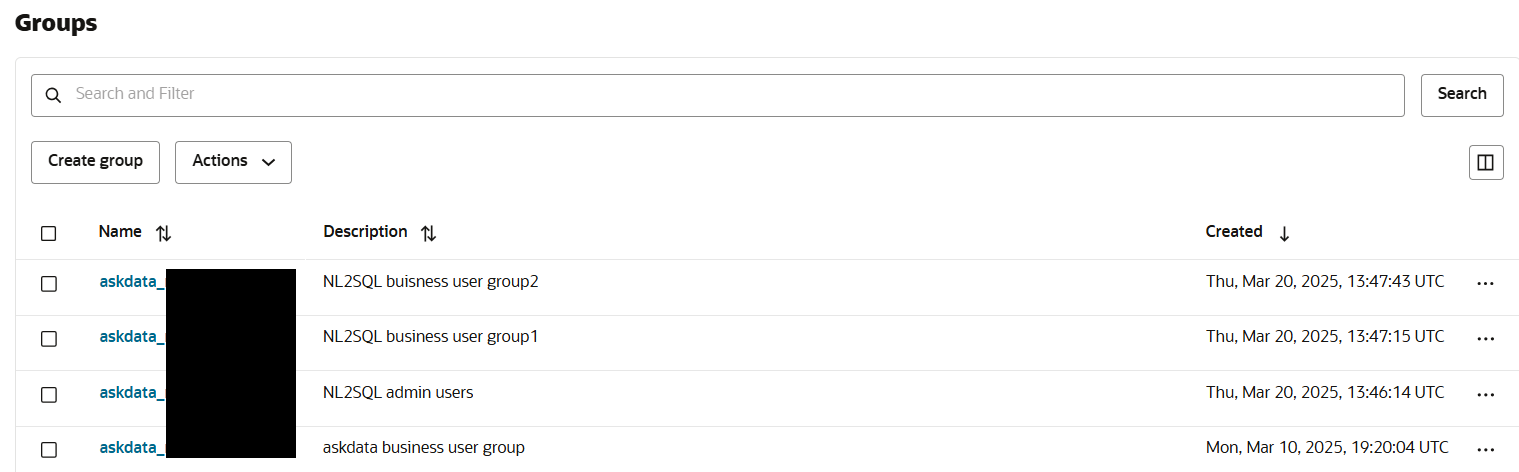 6. Add user to the group
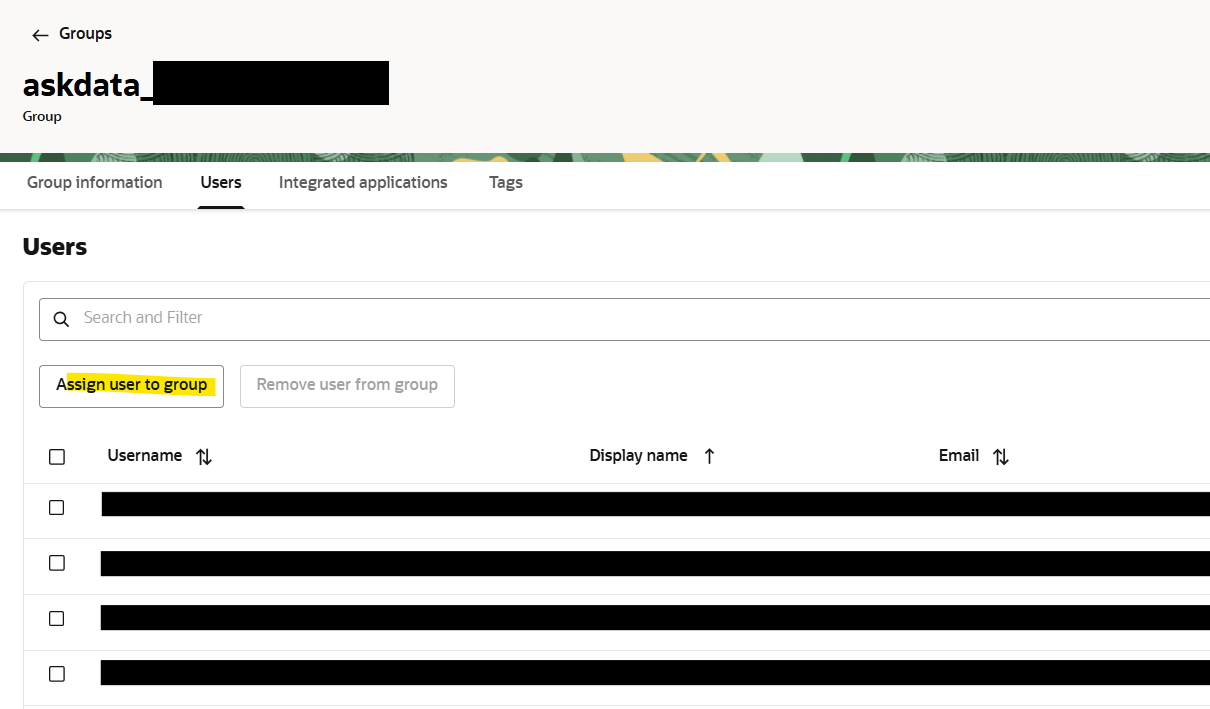
For recipe-specific access (e.g., dashboards), ensure users have IAM group membership as per business_idcs.md.